Microsoft Adaptive Cards in SwiftUI
TL;DR don't bother with Adaptive Cards on iOS
In this blog post I will
- introduce you to Microsoft Adaptive Cards
- explain how to use its open-source, Objective-C SDK in a SwiftUI project and
- give you some words of caution.
What are Adaptive Cards
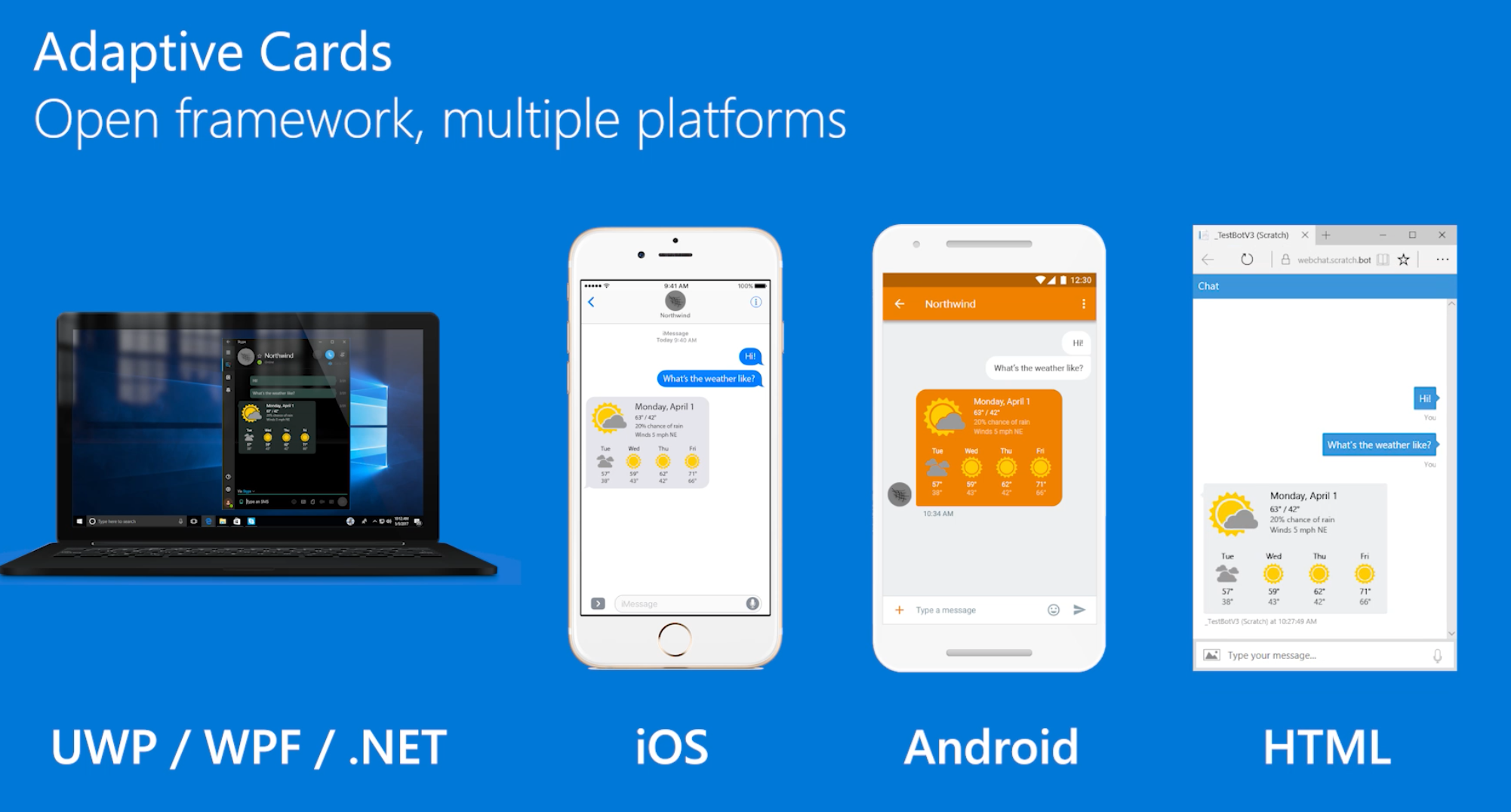
Adaptive Cards are an open card exchange format enabling developers to exchange UI content in a common and consistent way.

Adaptive Cards are platform-agnostic snippets of UI, authored in JSON, that apps and services can openly exchange. When delivered to a specific app, the JSON is transformed into a native UI that automatically adapts to its surroundings. It helps design and integrate lightweight UI for all major platforms and frameworks.
As Microsoft maintains adaptive Cards, you can see its use throughout their products, e.g. Microsoft Teams or Outlook Actionable Actions.

Let's look at a straightforward example of a JSON snippet declaring a card.
{
  "type": "AdaptiveCard",
  "version": "1.0",
  "body": [
    {
      "type": "Image",
      "url": "http://adaptivecards.io/content/adaptive-card-50.png",
      "horizontalAlignment": "center"
    },
    {
      "type": "TextBlock",
      "horizontalAlignment": "center",
      "text": "Hello **Adaptive Cards!**"
    }
  ],
  "actions": [
    {
      "type": "Action.OpenUrl",
      "title": "Learn more",
      "url": "http://adaptivecards.io"
    },
    {
      "type": "Action.OpenUrl",
      "title": "GitHub",
      "url": "http://github.com/Microsoft/AdaptiveCards"
    }
  ]
}
The card, here with an image and two actions, will be rendered without having the application developer to write platform-specific code.
Example of visual representation for this card in BotFramework WebChat:

Example of visual representation for this card in Outlook Actionable Message:

Play around with the Designer or explore the entire schema here. You find further examples, with more complexity, on the official website.
Adaptive Cards comes with a set of native platform renderers:
- JavaScript
- .NET (+WPF + HTML)
- Windows UWP
- Android
- iOS
Adaptive Cards on iOS
An open-source SDK implementation, written in Objective-C, can be consumed through Cocoapods.
Be aware: the repository does have a Package.swift file but adding the package to your project does not work in Xcode.
Let's create an iOS app, implemented in SwiftUI, leveraging Adaptive Cards and rendering our example interactively.

Example of thePodfile for an Xcode project named MSAdaptiveCardExample and supporting iOS 14.
To use the code in Swift, let's create a necessary bridging header. A helpful guide is here.
The SDK is using UIKit as UI framework. Here is an example creating a ViewController with the various SDK APIs like ACOAdaptiveCard or ACRRenderer.
Using the UIKit ViewController in SwiftUI requires to create a View conforming to UIViewControllerRepresentable.
This view can then be embedded anywhere in a SwiftUI view hierarchy.
Example
View the complete project, including a hack on making rendering images actually work, on GitHub

Warning
I am skeptical, as an engineer, about the idea and costs of building a "build once, run anywhere" (cross-platform), "no/low code UI" (declarative) framework considering the differences between platforms.
Specific to Adaptive Cards, I don't see significant investments in their mobile SDKs in the last twelve months. More concerning is that the mobile SDKs still do not support templating, a vital feature introduced in 2020 for the Javascript and .NET SDKs.
Finally, there is no SwiftUI roadmap. Microsoft dropped the ball by not backing a community project to implement a native SwiftUI renderer for Adaptive Cards :(
My conclusion: do not bother with Adaptive Cards on iOS
About the author
I am a Software Engineer working on open source and enterprise mobile SDKs for iOS and MacOS developers written in Swift. From 🇩🇪 and happily living in 🇺🇸
Comments
Join the discussionNo comments yet. Be the first to comment.